
Free pre-upgrade audit
We review your version, PHP, extensions, theme and custom code, then send a fixed-price plan.
Running an older OpenCart store on PHP 8.1 or earlier? Your server cannot be safely patched until OpenCart is upgraded. We upgrade your store to the latest OpenCart and a supported PHP version, with your data, SEO and extensions intact.
Tell us your OpenCart version and store URL. We will check compatibility and send a fixed-price quote.
We will review your details and reply by email with clear next steps. For anything urgent, call +44 20 3973 9209.
If your store runs on PHP 8.1, 8.0 or 7.x, newly discovered PHP vulnerabilities will not be patched on your version. Older OpenCart releases often break on PHP 8.2+, so the store must be upgraded before the server can be updated. We handle both, safely.
A quick guide to where your store stands. We confirm the exact path for your store during the free review.
Compatibility also depends on your extensions, theme and custom code. We check all of it before quoting.
Everything needed to move your store to a current, secure version without losing what already works.
We review your version, PHP, extensions, theme and custom code, then send a fixed-price plan.
Products, categories, customers, orders, reviews and settings moved across accurately.
Each extension checked and updated, replaced or rebuilt so features keep working.
Your design carried over or refreshed to work on the new version and look right on mobile.
Core and custom code updated so the store runs on a supported, secure PHP version.
URLs, meta data and rankings protected, with redirects wherever a URL must change.
Built and tested on a staging copy, including full checkout and payment testing.
Switch-over at a quiet time, post-launch checks and support if anything needs adjusting.
Send us your store URL. We will check your OpenCart and PHP versions and tell you exactly what needs upgrading, free and with no obligation.
An out-of-date OpenCart store is harder to secure, slower and more likely to break when your host updates the server. Many hosts are also retiring old PHP versions, which can take an old store offline without warning.
Upgrading gives you current security fixes, better performance, newer features and compatibility with modern extensions and payment gateways. We make the process low-risk by doing the work on staging and testing everything before go-live.
A tested, staged process so your live store keeps trading until the new version is ready.
Send your store URL and admin access. We audit versions, extensions and custom code.
You get a clear scope, timeline and fixed price before any work starts.
We upgrade, migrate data and update extensions on a private copy, then test it all.
We switch over, update PHP to a supported version and check everything works.
Live stores from retailers across the UK and Europe.
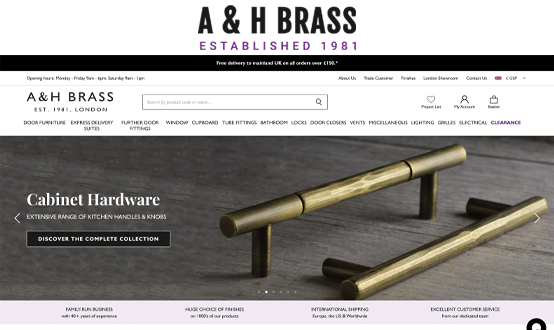
Online store for a London architectural hardware retailer that began as a shop in Harrow.
Visit store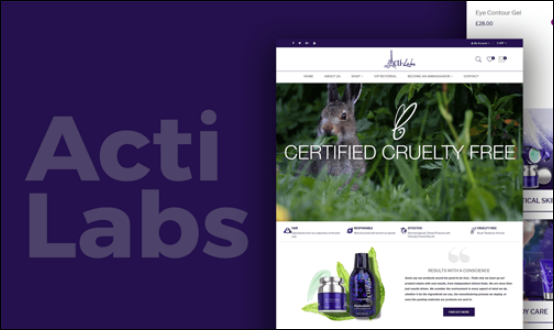
European e-commerce store for a growing fashion and lifestyle products brand.
Visit store
Ticketing site for Orlando theme parks and attractions, serving UK families.
Visit storeStraight answers to what store owners ask before upgrading.
Speak to an OpenCart developer directly.
Call +44 20 3973 9209Older OpenCart versions (1.5, 2.x and 3.0 before 3.0.3.9) were not written for PHP 8, so switching your server to a supported PHP version can cause errors, a blank page or a broken checkout. The safe route is to upgrade OpenCart (and its extensions) first, then move to PHP 8.2 or newer.
We recommend a PHP version that still receives security fixes, currently PHP 8.2 or newer. PHP 8.1 and earlier no longer receive security updates. We will confirm the right version for your OpenCart release and hosting during the free review.
No. We migrate products, categories, customers, orders, reviews and settings, and keep your URLs and SEO settings wherever possible. Where a URL has to change, we set up redirects. Everything is done and tested on a staging copy first.
We check every extension and your theme for compatibility. Where a newer compatible version exists we install it; where it does not, we update the code, find an alternative or rebuild the feature. You get a clear list before we start.
Your live store keeps trading while we work on a staging copy. When everything is tested and approved, we switch over at a quiet time, usually with little or no visible downtime.
It depends on your current version, the number of extensions and how much custom code your store has. After a free review we send a fixed-price quote, so you know the full cost before any work starts.
Log in to your OpenCart admin: the version number is shown at the bottom of the dashboard. If you are not sure, send us your store URL and we will check it for you.
Tell us your OpenCart version and store URL. We will review it for free and send a fixed-price upgrade plan, with no obligation.
Share a few details and we will come back with clear next steps.
We will review your details and reply by email with clear next steps. For anything urgent, call +44 20 3973 9209.